What's New
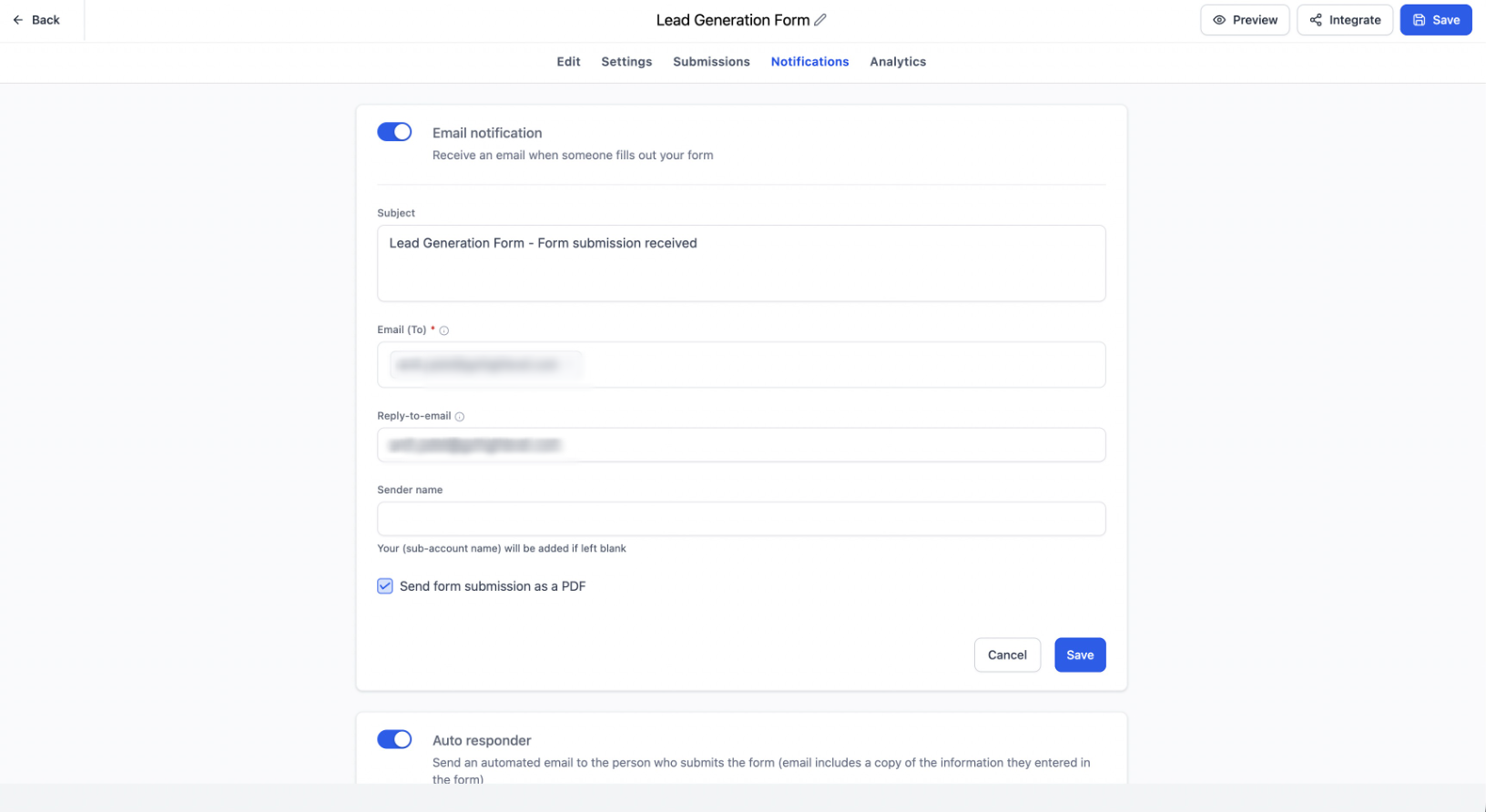
We've improved the discoverability of Notifications in Forms, Surveys, and Quizzes by moving it from an icon-based entry point to a dedicated Notifications tab within the builder.
In addition, we've enhanced builder tooltips with clearer descriptions, contextual messaging, and direct Learn more links to relevant Help Center articles, making it easier for users to understand settings without leaving the builder.
These changes were driven by user feedback, particularly from new users who found it difficult to locate notification settings and understand certain builder options without assistance from support.
Key Highlights
- Notifications now have a dedicated Notifications tab inside the builder.
- Improved visibility and discoverability of notification settings.
- Enhanced tooltips across Forms, Surveys, and Quizzes with clearer guidance and contextual messaging.
- Added Learn more links to relevant Help Center articles for supported tooltips.
- Reduced reliance on support for locating and understanding notification and builder settings.
- Creates a more intuitive and user-friendly experience for both new and existing users.
How It Works
Previously, notification settings were accessed through an icon within the builder, making them easy to overlook, especially for new users.
With this enhancement, Notifications are now available as a clearly labeled tab, ensuring users can quickly find and manage notification preferences without additional guidance.
We've also improved several builder tooltips by providing more descriptive explanations, contextual messaging based on the selected product or field type, and direct links to Help Center documentation where applicable.
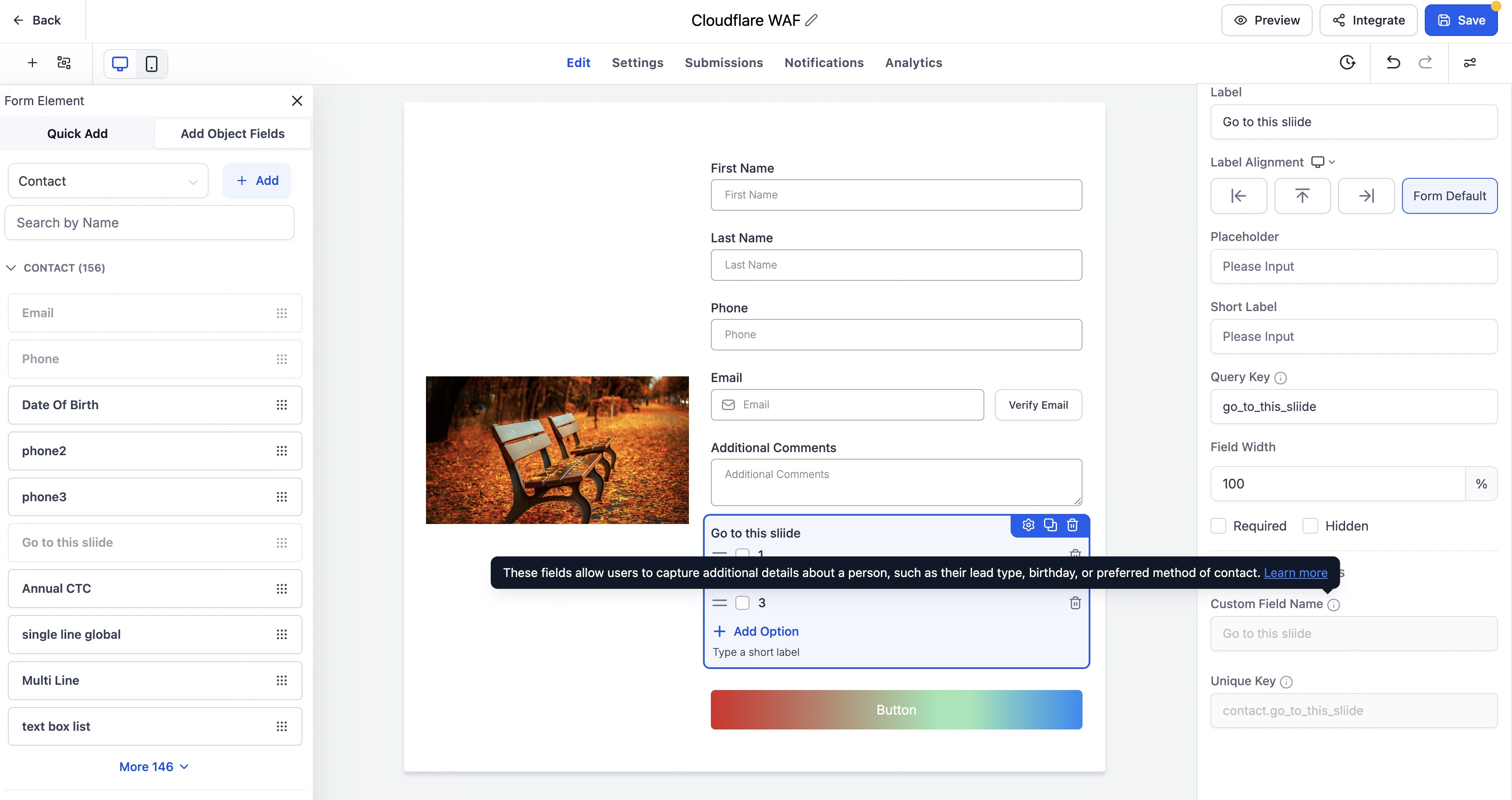
This allows users to better understand configuration options without interrupting their workflow.
Notes
- No changes have been made to existing notification functionality.
- This update focuses on improving accessibility, navigation, and in-product guidance.
- Tooltips have been enhanced across Forms, Surveys, and Quizzes with clearer descriptions and contextual Help Center links where applicable.
- Available across Forms, Surveys, and Quizzes.
By making notifications easier to find and providing more helpful in-product guidance, we're helping users get up and running faster while delivering a smoother, less frustrating onboarding experience.
Was this article helpful?
That’s Great!
Thank you for your feedback
Sorry! We couldn't be helpful
Thank you for your feedback
Feedback sent
We appreciate your effort and will try to fix the article